
The player's handbook
Your whole baseball life.
One chapter at a time.
From your first draft call to the majors and life after baseball. Learn the controls, build your career, and make the most of every day away from the park.
Hallbound Baseball Life · 19 chapters · English edition
Playing on Steam?
Open the Steam PC manual for keyboard controls, widescreen screenshots and Steam saves, achievements and purchases.
A good first day
Create → Draft → Report → Train → Play → Save. Start with a new career or Quick Start, sign your draft offer, explore town, set a training plan and head to the ballpark. Use the chapters below whenever you need a hand.
This guide uses the game's own tutorial and screenshots. Screen layouts and available store items can vary by platform and version. In-game HOW TO PLAY is also available in Spanish, Korean and Japanese.
No chapters match. Try a shorter term, or clear the search to browse the whole manual.
Chapter 01
Welcome
What Hallbound is and where to start
One life in baseball
Hallbound follows one ballplayer from draft day to the end of his career, and maybe the Hall of Fame. You train him, play his at-bats or his innings, and live his life away from the park. Choices stick. I'm Old Ray, the scout who found you, and I'll show you around.
Start a career
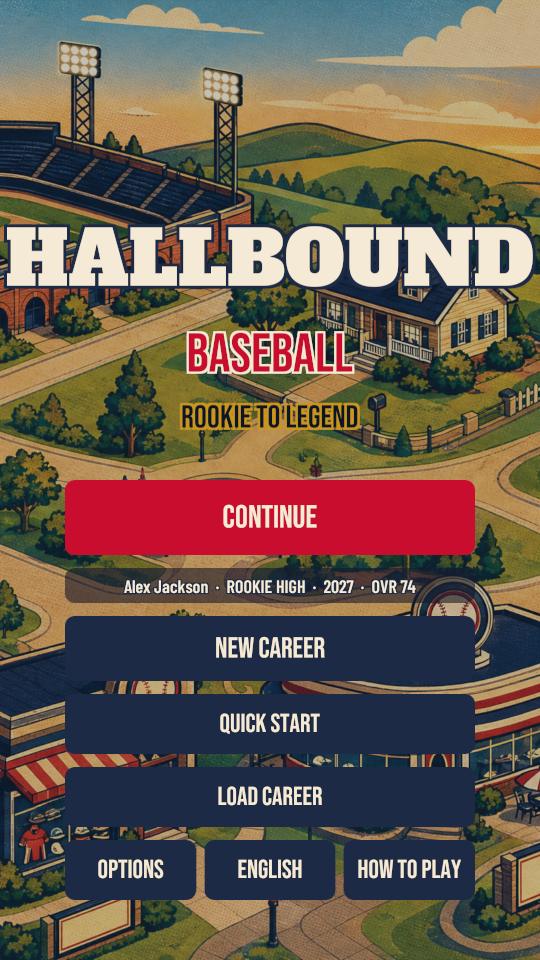
NEW CAREER builds your own player. QUICK START makes a prospect for you and goes straight to draft day. CONTINUE picks up your last career and LOAD CAREER opens any save. Language and sound are in OPTIONS.
Chapter 02
Create your player
Body, role, position and talent
Who you are
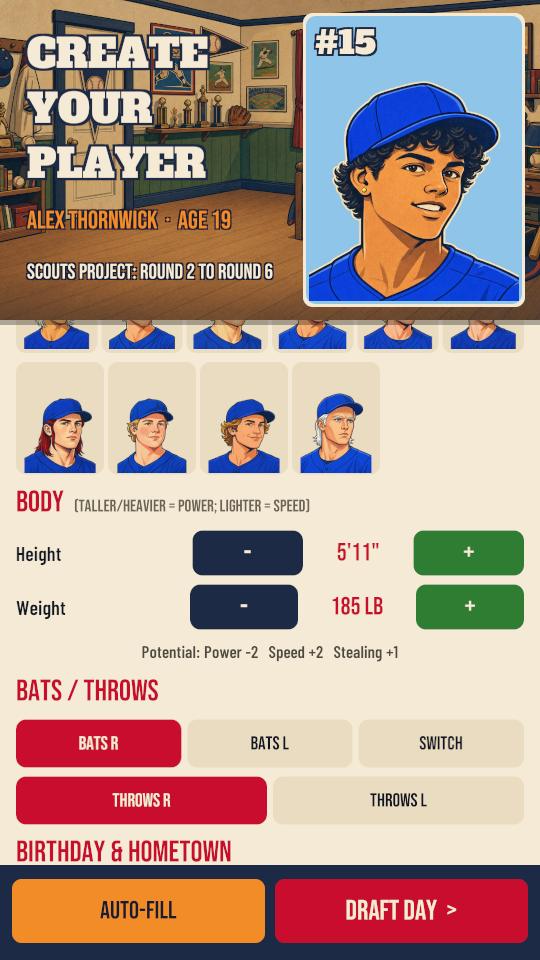
Start with your name, number and BODY: taller and heavier means power, lighter means speed. Then how you bat and throw, your birthday and hometown, and a personality that colors how people react to you.
Role and position
ROLE makes you a hitter, a starter or a reliever. Hitters pick a POSITION: catcher and shortstop cost the most talent. ARCHETYPE sets the kind of player you are, from Slugger to Glove First.
Age, difficulty, rules
Choose your starting background, DIFFICULTY and LEAGUE RULES. The rules set the era you play in, from Modern to Deadball. Difficulty is fixed for that career, so review it before continuing.
Talent and life
LIFE ATTRIBUTES shape you off the field; each runs from 3 to 18. TALENT sets how good each skill can become, and the projected OVR shows where that puts you. AUTO-FILL spends the points for you.
To the draft
The scouts' line tells you where you might go in the draft. When you like your player, tap DRAFT DAY. You can't change him after this, so take a last look.
Chapter 03
Draft day
Waiting for the call and signing
Waiting for the call
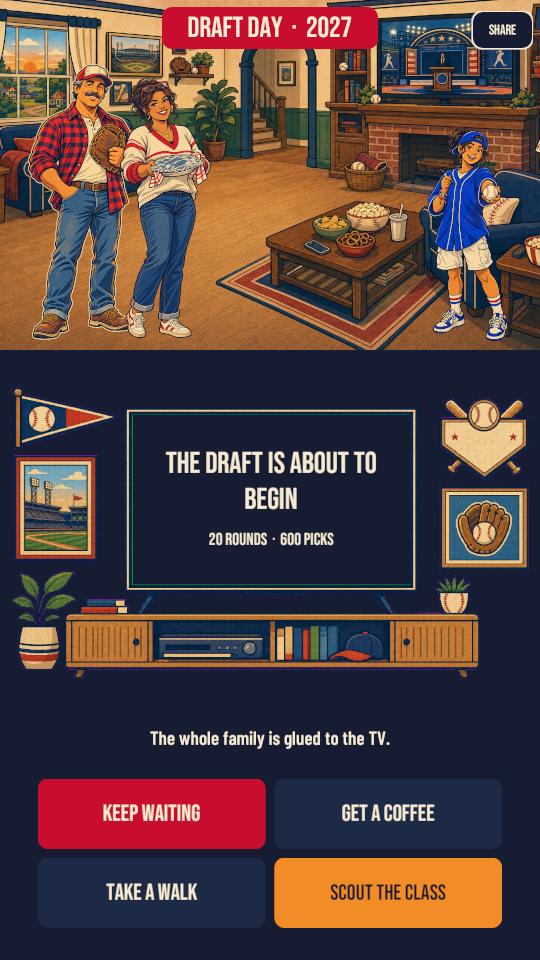
The draft runs round by round on TV. KEEP WAITING moves it on, or pass the time with a coffee or a walk. When a club wants you, the phone rings: answer it.
Scout the class
SCOUT THE CLASS shows who else is in this draft and who is still on the board. Any club can take you, and a few names going early can push you down.
Sign and report
Once you are picked, read the offer and choose SIGN & REPORT. The button shows your assigned level. You begin in the minors, at the level your club thinks you are ready for.
Chapter 04
The town
The map, the top bar and the bottom bar
Your town
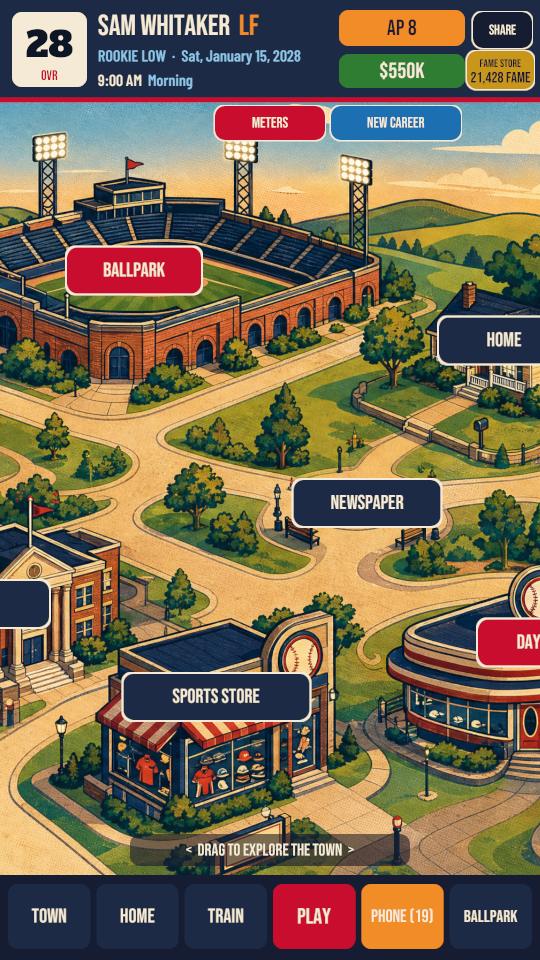
Drag the map to look around. Each pin is a place: the BALLPARK for games, the PERFORMANCE CENTER to train, HOME, the FRONT OFFICE, DAYS OFF and the shops. Tap a pin to go there.
The top bar
Top left is your OVR, then your level, the date and the time of day. AP is what you spend on skills. WORTH is your money. Fame is shared by all your careers and buys things in the FAME STORE.
The bottom bar
TOWN, HOME, TRAIN, PLAY, PHONE and BALLPARK are always one tap away. PLAY takes you to today's game. The phone turns orange when texts are waiting.
Your meters
METERS shows energy, morale, focus, fitness and stress. They drift every day. Keep them out of the red: a tired, unhappy player plays worse and gets hurt more.
Chapter 05
Training
Readiness, your weekly plan and AP
Readiness
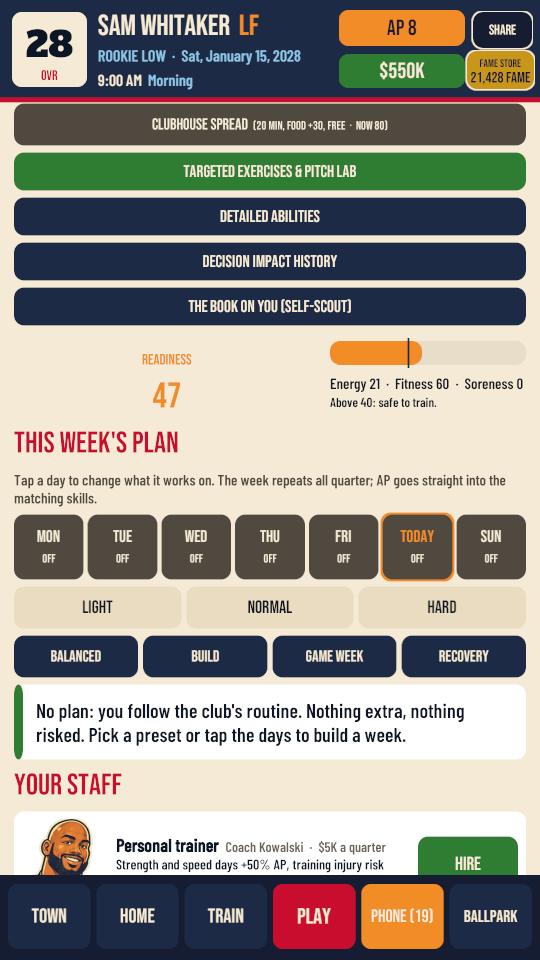
READINESS shows how fresh your body is. Below 40, hard training risks an injury: choose recovery or a lighter session. Keep checking readiness as you balance training with games.
Your weekly plan
Tap a day to choose what it works on: strength, speed, skills, recovery or mental, at light, normal or hard. The week repeats all quarter. The presets fill the whole week in one tap.
Spend AP
Training and games earn AP. Spend it in SPEND AP, one point at a time; each point costs more as a skill climbs. Turn AUTO on and the game spends it for you.
Your staff
Hire a trainer, a nutritionist, a sports psychologist or a personal coach. They cost money every quarter. Further down: the PITCH LAB, your detailed abilities, and the book other clubs keep on you.
Chapter 06
The ballpark
Today's game, playing or simming, spring training
Today's game
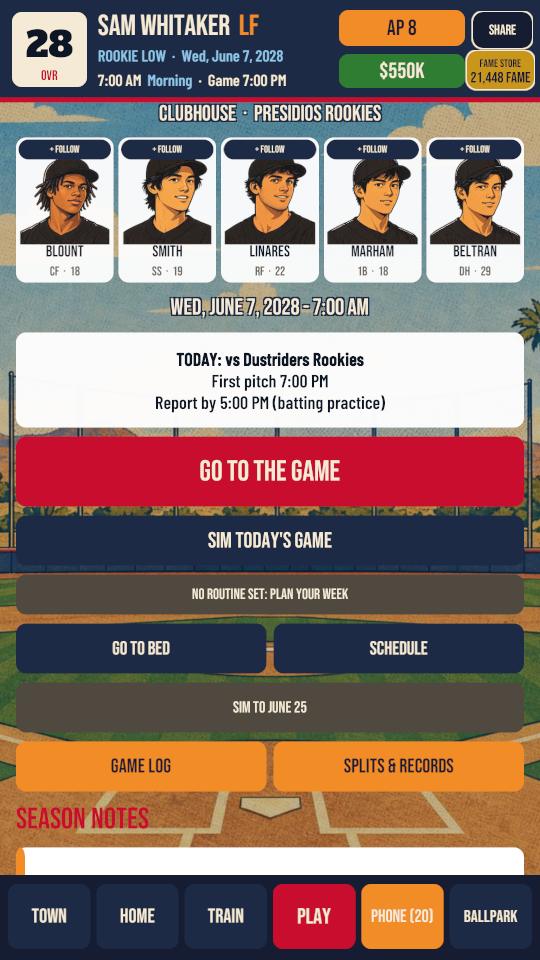
The day card shows who you play, the first pitch and when to report: hitters for batting practice, pitchers for the bullpen. Show up late and the manager notices.
Play or watch
GO TO THE GAME asks how to follow the game. Hitters can play their at-bats, watch their last pitches, watch the whole game and play their at-bats, or watch without controls. Pitchers can pitch, watch only their pitching, or watch the full game.
Go or sim
Your choice starts the game. SIM TODAY'S GAME simulates the whole game and records the result when you want to move ahead without playing each moment.
The rest of your day
GO TO BED ends the day. SCHEDULE shows the month ahead and GAME LOG your games so far. Sim ahead jumps several days when you are short on time, but you miss what happens in them.
Spring training
Spring training gives you matchups to play through, and a strong camp can help you earn a higher level. Complete the matchups, read the verdict and choose BREAK CAMP. SKIP CAMP bypasses camp and its opportunity to impress. If a league catch-up screen appears, let it finish before continuing.
Chapter 07
Game day
Your turn, the GAME button and the final
Your turn
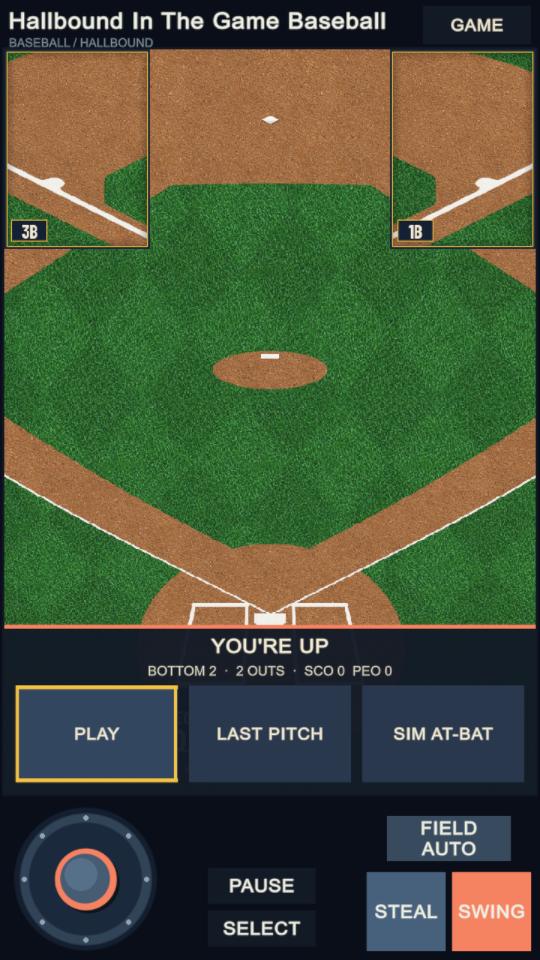
In PLAY MY AT-BATS, action between your at-bats runs unseen behind a live scoreboard. WATCH LAST PITCHES shows only the final pitch of each of your at-bats. Set unseen action to 1x, 2.5x, 4x or 5x in the GAME menu.
The GAME button
The GAME button lets you change your game view, skip to your next turn, or sim the rest. When you reach base, the game offers a steal only if the next base is empty.
Skip ahead
SKIP TO MY NEXT AT-BAT jumps to your next turn. SIM REST OF GAME simulates the remainder of the current game. What you already played still counts.
The final
When the game ends you get the score, your line and the pitchers of record. BOX SCORE has every player. BACK TO TOWN books the game into your season.
Take a breather
Pause with the PAUSE button or Esc. The pause menu has HOW TO PLAY with every control, touch controls on or off, sound, a bigger game view, and the game's settings.
Chapter 08
At the plate
Stance, swing, bunt and steal
Your stance
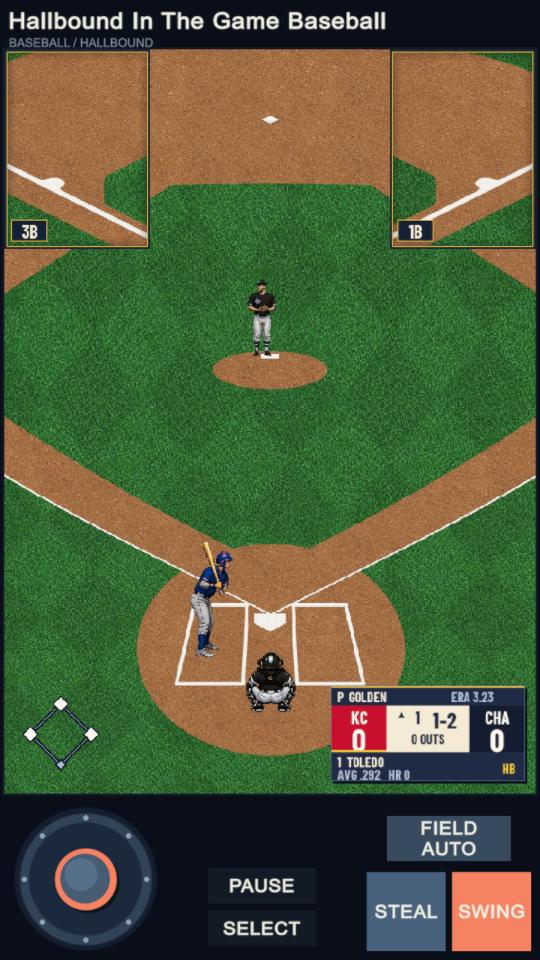
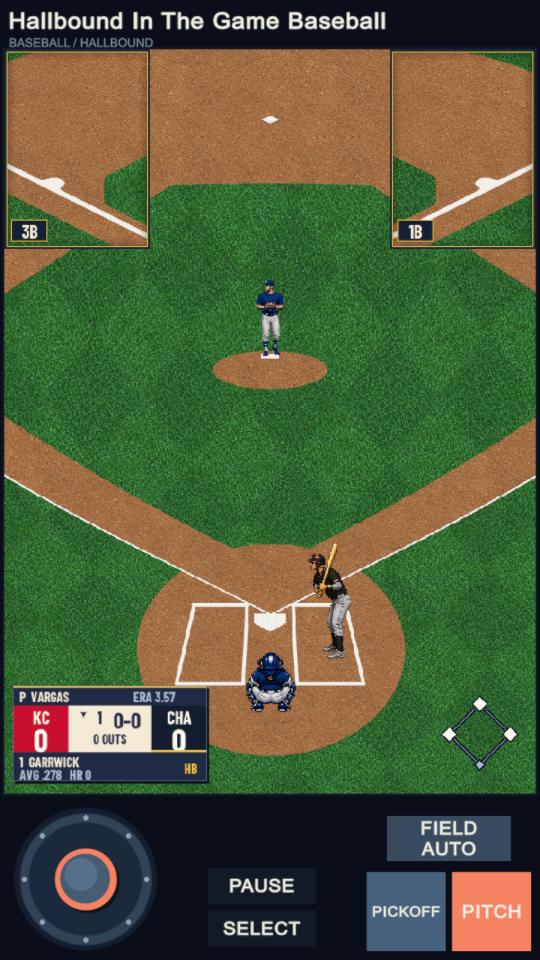
At the plate the pitcher throws from the top and you stand in the box. Before the pitch, move the stick (arrows or WASD on a keyboard) to shift where you stand.
Swing
Hold A to swing: SWING on touch, Z or J on a keyboard, the bottom face button on a pad. Time it with the pitch. HIT TIMING FEEDBACK in the game's settings shows how early or late you were.
Bunt
To bunt, tap A and let go at once instead of holding it, or press SELECT (Tab on a keyboard) to square around before the pitch.
Steal a base
With a runner on, B sends him: STEAL on touch, X or K on a keyboard. Once the ball is in play, B advances your runners and A sends them back.
Chapter 09
On the mound
Pitching, pickoffs and your bar
Make a pitch
Hold a direction and press A to pitch: PITCH on touch. Left or right bends the ball. Change where and how you throw so the hitter can't sit on one pitch.
Hold the runners
With runners on, a direction plus B throws to that base: PICKOFF on touch. A quick throw keeps a fast runner close and can catch him leaning.
Pitch it or watch it
Pitch my batters to control every pitch. Watch each batter's last pitch to see only the final pitch of each batter you face. Watch only my pitching to see all of your pitches without controls. You can also watch the complete game with pitching control or with no controls. Off the mound, focused modes show the live scoreboard. Sim today's game to skip a game quickly.
Chapter 10
Fielding and running
Fielders, throws and baserunning
Fielding
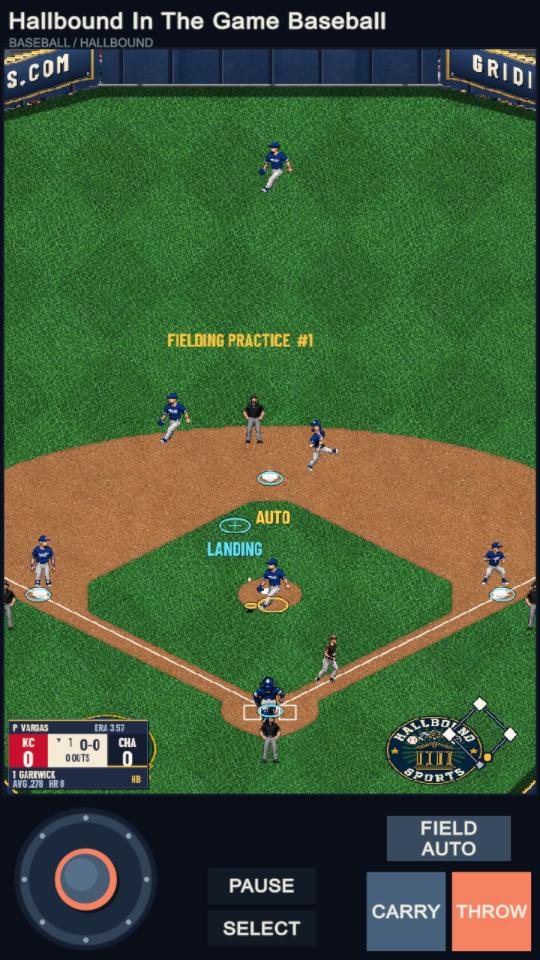
When you pitch, your club fields behind you. Fielding starts automatic; the FIELD button switches between AUTO and MANUAL. In manual you steer the fielder nearest the ball. X turns the field assist on or off.
Throw it
With the ball, a direction plus A throws to that base: THROW on touch. On touch you can also tap a base to throw there, or tap a fielder to take him over. B carries the ball yourself.
Run the bases
After you hit, B advances your runners and A sends them back: ADVANCE and RETURN on touch. Tap one runner to command only him; tap him again to command them all.
Game settings
GAME SETTINGS in the pause menu has tabs. PLAY sets automatic fielding and the touch helpers, CONTROLS the thumbstick and the strike zone marker, AUDIO the crowd, the umpire and the music.
Chapter 11
The season
Standings, leaders, honors and moves
Standings
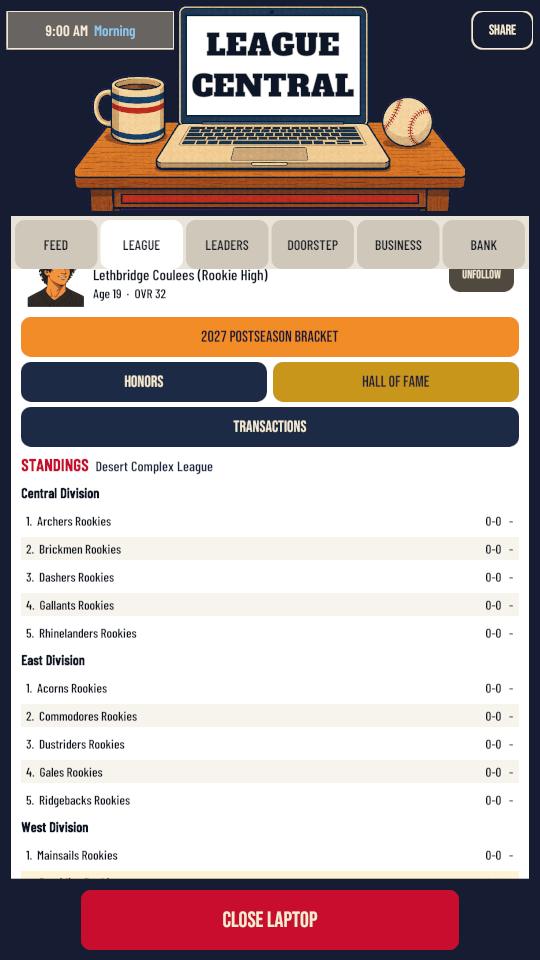
Your laptop's LEAGUE tab has the standings for your league. Switch between the first half, the second half and the full season.
League leaders
LEADERS ranks every player in your league, stat by stat. It is the quickest way to see if you are among the best at your level.
Honors and the Hall
HONORS lists the league's awards for every season. HALL OF FAME holds everyone voted in, not just you. TRANSACTIONS shows every trade, signing, call-up and release.
Moves around the league
Players go up and down all season: a hot month brings a call-up, an injury above you opens a spot. Your own promotion comes when your OVR says you're ready, all the way to the big club.
The newspaper
The NEWSPAPER in town has the league's news, the standings and the stories people are telling about you.
Chapter 12
October
The playoffs and your season card
The bracket
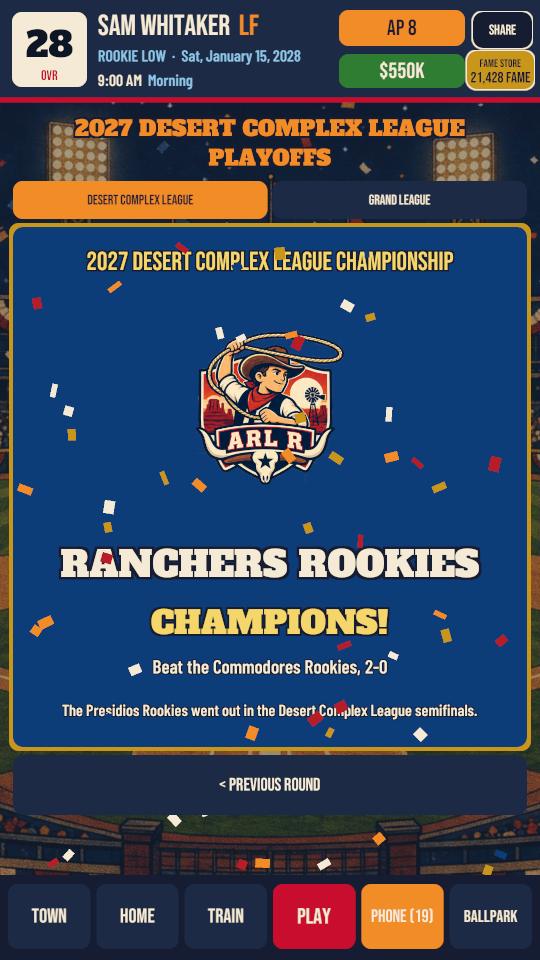
Make the playoffs and October is a bracket of short series. The ballpark shows your series score, and BRACKET shows every series in the league.
Sim the rest
Out of it, or in a hurry? SIM THE REST OF OCTOBER plays the rest of the playoffs and takes you to the champion. Win it all and the town throws a parade.
Your season card
Every season ends with a card of your year: your numbers, your honors and your level. It goes into the Card Binder, and then the winter starts.
Chapter 13
The winter
Off-season weeks and contracts
Week by week
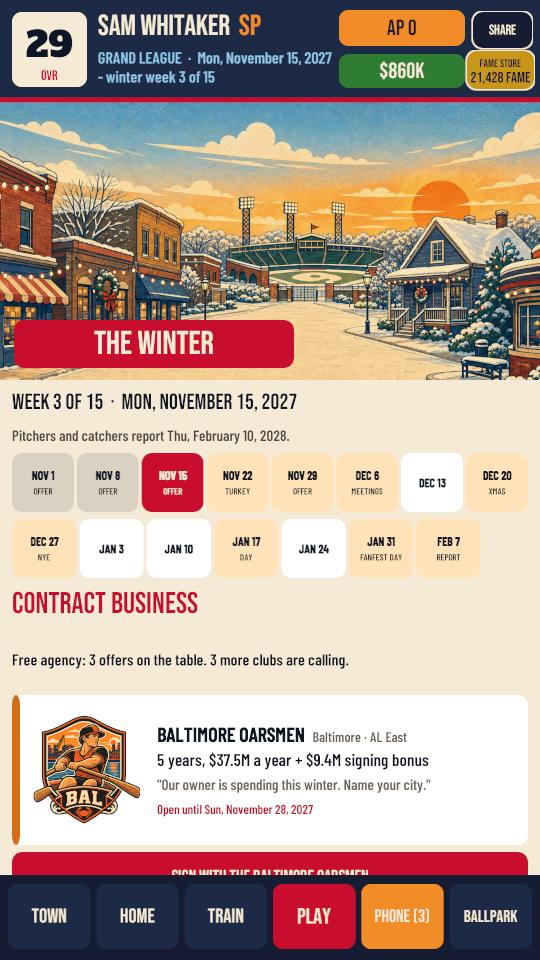
The winter runs one week at a time. Each week you pick what to do: train, travel, get outdoors, build your fame, see family and friends, or go out at night.
Contract business
CONTRACT BUSINESS is where contract talk lands: an extension offer, arbitration, or free agency when your deal is up. Your agent helps with each.
Trips and big days
Some weeks bring something bigger: a trip with friends, a party, even your wedding. Who you bring along matters to them, and to the ones you leave home.
Back to camp
NEXT WEEK moves the winter on. In the last week, REPORT TO SPRING TRAINING ends it and starts the new season in camp.
Chapter 14
Front Office
Your file, your agent and endorsements
Your file
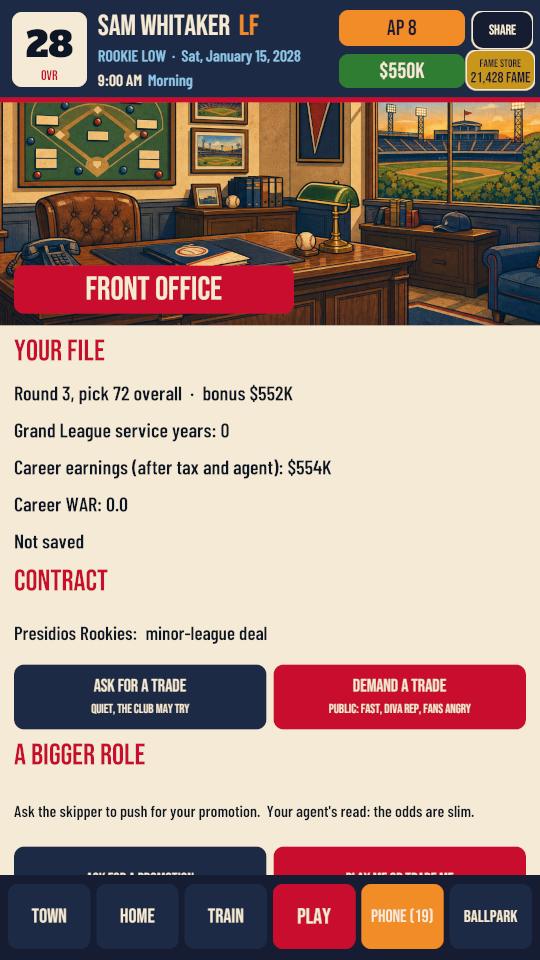
The FRONT OFFICE keeps your file: your contract and where you stand with the club. From here you can ask for a trade, or demand one if things go bad.
Your agent
An agent handles your deals for a share of your earnings. Compare the agent options and their fees before choosing. You can change agents once a season.
Endorsements
As your fame grows, companies call. Read the deal, then sign it or pass. Bigger names bring bigger deals, and maybe a magazine cover.
Talking money
In a negotiation you see YOUR ASK and THEIR OFFER. Send a counter, take their offer, or walk away. Push too hard and the talks can end.
Chapter 15
Phone and laptop
Texts, apps and your laptop
Your phone
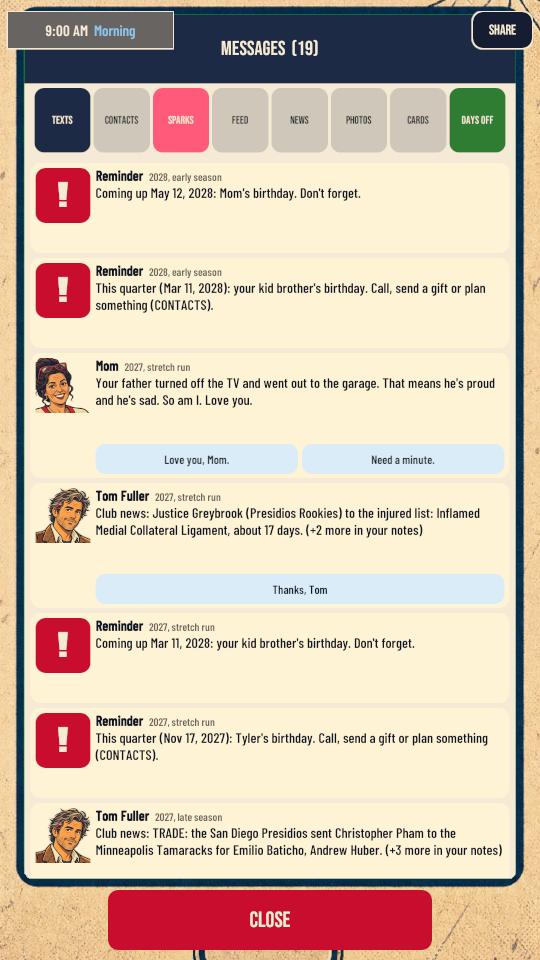
Your phone holds TEXTS, PEOPLE, FEED, NEWS, PHOTOS and more. People text you about plans, trouble and favors. Answer them, or they remember that too.
Sparks and cards
SPARKS is the dating app: match, chat, and ask someone out on a day off. CARDS lets you buy and sell baseball cards, your own included.
Your laptop
The LAPTOP at home has a bigger feed, the league pages and the leaders. DOORSTEP delivers things to your door.
Money
BANK shows your money: pay, bills and savings. BUSINESS is where you put money into businesses once you can afford it.
Chapter 16
Life away from the park
Home, meters, days off and shops
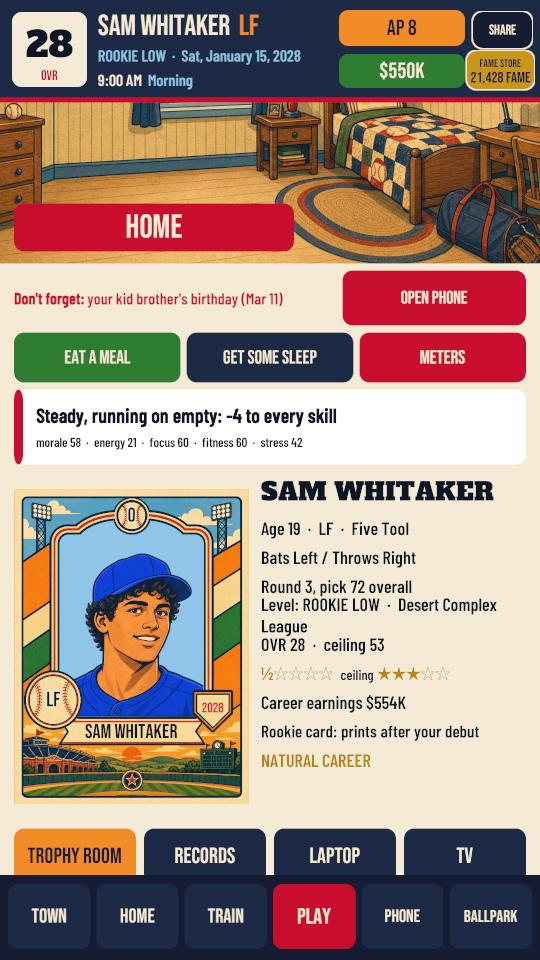
Home
At home you EAT A MEAL and GET SOME SLEEP, see your ratings and your family, and move to a better place when you can afford it. Rent and living costs come out every quarter.
Your meters
Sleep, food, nights out, training and games all move your meters. Each one shows what is pushing it up or down, so you know what to fix.
Days off
On a day off, choose how to spend it: rest, golf, fishing, a night out, a date, family time and more. Each costs time or money, and many lead to stories.
Shops and gear
The shops sell clothes, tattoos and things for your home. The SPORTS STORE sells bats, gloves and cleats that help on the field; pro gear costs Fame.
TV and trouble
Play well and you end up on TV and in magazines. Not every story is good: trouble comes by text, and how you answer decides how big it gets.
Chapter 17
Fame and saving
Fame, saves, options and this tour
Fame
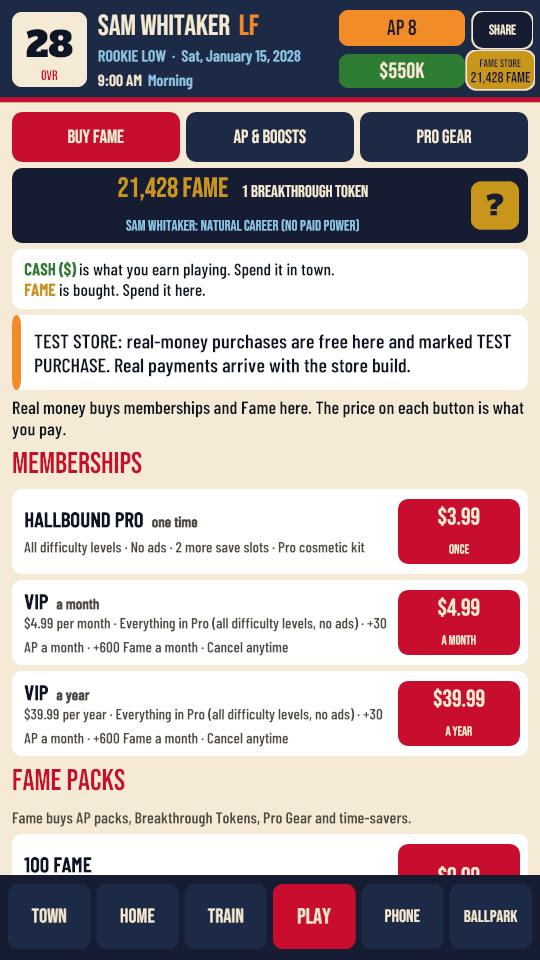
Fame is earned through play and shared across careers within your game account. It is separate from your player's career money. Open the FAME STORE to see the packs, memberships and upgrades available on your platform. Review the item description and price before buying; do not assume balances transfer between stores.
Saving
The game saves by itself as you play. SAVE & EXIT TO MENU in the Front Office saves and takes you to the title screen. NEW CAREER in town saves this career and opens your list of careers. Each career has its own save slot.
Options and this tour
OPTIONS has language, text size, sound and sim speed. Turn my tips on or off there, show them all again, or open this tour with HOW TO PLAY.
Chapter 18
Life after baseball
Your playing career is only part of your story.
When your playing days end, explore the post-career paths offered by the game. Your attributes, reputation, relationships and resources help shape what comes next.
Coaching
Start as a minor-league coach, then manager, then a big-league staff and the big chair. What helps: Intelligence, Work Ethic and Composure; clubhouse leaders rise faster.
Broadcasting
Radio color man, the TV booth, the national studio, then the lead chair on the big game. What helps: Charisma and fame; a clean name keeps the job.
Front office
Special assistant, assistant GM, then general manager. Money buys a share of a club. What helps: Intelligence and a steady head; a big stake starts you higher.
Family time
Be home. Coach the kids' teams, make up for the road years, maybe finally settle down. What helps: Nothing but the time.
Foundation and camps
Your family foundation and free youth camps back home. What helps: Money to give and fame to raise more; Charisma helps.
Chapter 19
Saves & troubleshooting
Keep your career safe and find your next step.
Save before you leave
The game autosaves as you play. For a deliberate stopping point, use SAVE & EXIT in the Front Office. Use CONTINUE for your latest career or LOAD CAREER to choose a slot. Avoid deleting the app or clearing its data to fix a problem: that can remove local careers.
Steam Cloud
A local save and a completed cloud upload are different things. If Steam Cloud is available for your installed build, enable it in Steam and in the game's Properties. Save, exit the game, keep Steam online and wait for its cloud status to finish before switching computers. If Steam reports a conflict, compare the save dates carefully before selecting a copy. Steam Cloud is not a transfer service between Steam, iPhone and Android.
Break Camp is taking time
The game may need to catch the league up to your career date. Let the catch-up screen finish. If it never completes, note your game version, device and the action immediately before the problem, then contact support. Keep your save rather than starting over.
A purchase has not appeared
Check that you are online and using the store account that made the purchase. Open the Fame Store and use RESTORE to check available purchases. Restoration depends on the product and platform; it does not replenish currency you already spent. If the item is still missing, send support the product name, purchase time, platform and store order number. Avoid buying it again while the first purchase is unresolved.
Language, sound and readability
Open OPTIONS from the title screen or the gear icon. Choose English, Spanish, Korean or Japanese; adjust text size, sound and simulation speed; or enable Reduce Motion. You can replay HOW TO PLAY and turn Old Ray's tips on or off. Some on-field control labels remain in English.
Contact Hallbound
Email support@hallboundsports.com with your platform, game version, what you expected, what happened and steps to reproduce it. A screenshot helps. Never send passwords or payment-card details. See Support and the Privacy Policy for more information.